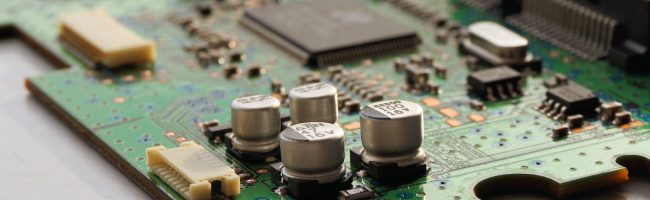
Is It Worth It To Fix an Android Phone?

Deciding whether to fix Android phones or get a new one can be a tough call. This decision often comes down to things like how much it’ll cost, if you can get the parts you need, and how old or beat-up your phone is.

In this guide by Advanced Technology Solutions, we’re going to look into these important points. Making the right choice between repairing your phone or upgrading to a new one can be hard, especially when you’re trying to save money and still want a phone that works well for you.

Whether your current phone has seen better days or you’re just thinking about getting an upgrade, this article will give you the info you need to make a good call. Let’s dive into what you should consider so you can feel good about your decision.

Pros of Repairing an Android Phone

The primary advantage that tends to draw people towards Android cell phone repair lies in the potential cost savings. The cost of fixing issues like a cracked screen or a faulty battery is often only a fraction of the amount required to purchase a new phone. The savings become even more noticeable if your phone is less than two years old.

Beyond the monetary savings, another reason to fix Android phones is the reduction of electronic waste. Electronic waste, or e-waste, has become a significant environmental concern. Energy and resources go into manufacturing each new device, so by extending the life of your current phone, we’re supporting a more sustainable and environmentally conscious solution.

Finally, let’s not overlook the convenience factor. When you choose Android repair, you save yourself from the tedious and often time-consuming process of transferring device data, setting up a new device, and acclimating to changes that come with a new user interface or software versions.

Cons of Repairing an Android Phone

Deciding to repair an older Android device isn’t always straightforward. As your phone approaches the end of its life cycle, it may be on the verge of becoming outdated technology. In these scenarios, investing money into repairs could be a poor decision. This is particularly true for phones that are older than two years, where replacing the device might often be more sensible than attempting to fix it.

Another obstacle with older phones is finding the necessary parts for repairs. As manufacturers release new models, components for older ones become rarer and often more expensive. This shortage of parts can make the repair process not only more difficult but also more costly. 

Advanced Technology Solutions: The Repair Experts for Your Android Phone

Before you throw away your device, consider seeking help from professionals who can fix Android phones effectively. Our quick and dependable repair services cover a wide range of Android phone problems, all handled by our seasoned technicians. Our team doesn’t just excel in Android repairs—they also take pride in keeping you in the loop, ensuring you’re well-informed throughout the repair journey.

With a vast inventory of service parts always in stock, Advanced Technology Solutions is ready to jump into action without delay. Our commitment goes beyond just fixing your Android device. We aim to provide peace of mind through our expert services. 

By entrusting your Android device to Advanced Technology Solutions, you’re choosing a partner that values trust, competence, and reliability as the pillars of customer service.

FAQs

Here are some common questions about Android phone repairs:

  • How do I troubleshoot my Android phone’s screen?

Quick fixes include restarting your phone or checking for software updates. For persistent issues, consider professional Android repair services.

  • What should I do if my Android phone is unresponsive?

First, try to restart the phone. If the problem persists, seek help from an Android repair specialist or the manufacturer.

  • How can I fix my Android phone’s battery issues?

Start by closing unused apps and reducing screen brightness. If these steps don’t improve the battery life, consider getting it replaced by a phone repair professional.

  • Where can I find reliable repairs for my Android phone?

Advanced Technology Solutions offers reliable and quick repair services for various Android phone issues.

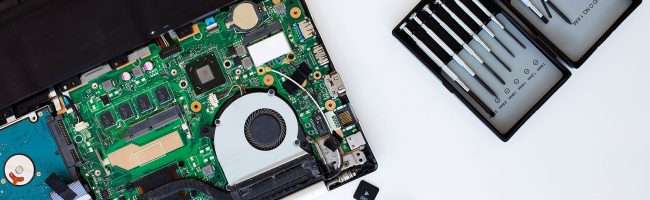
Your Ultimate Guide to Fix PS5 Issues Quickly & Easily

If you own a PlayStation 5, you’re likely enjoying the cutting-edge gaming experience it offers. However, like any piece of technology, the PS5 isn’t immune to issues. In this guide, we’ll delve into these issues and discuss when seeking professional help might be necessary to fix PS5 problems.

System Crashes

One of the most frustrating problems you might encounter with your PS5 is frequent system crashes. These crashes can happen randomly during gameplay or even while navigating the system menu. If you find yourself experiencing frequent crashes, there are a few steps you can take to troubleshoot. 

First, ensure your PS5 is running the latest system software. Sometimes, software bugs can cause instability, and updates often include fixes for such issues. You can also try rebuilding the PS5’s database by booting into Safe Mode and selecting the “Rebuild Database” option. 

If the crashes persist despite these efforts, it might be time to seek professional help to fix PS5 system crashes and diagnose any underlying hardware problems.

Disc Drive Malfunctions

Another common issue reported by PS5 users is problems with the disc drive. You might encounter issues such as the drive not accepting discs, making unusual noises, or failing to read discs properly. 

Before seeking professional assistance, try troubleshooting the issue by power cycling your PS5 and ensuring the disc is clean and free from scratches or damage. If the problem persists, it could indicate a hardware malfunction that requires expert attention to repair or replace the faulty components.

Network Connectivity Issues

With online gaming being a significant aspect of the PS5 experience, network connectivity problems can be particularly frustrating. You might encounter issues such as frequent disconnections, slow download speeds, or difficulty connecting to online services. 

To address network connectivity issues, start by checking your internet connection and router settings. Ensure that your PS5 is connected to a stable Wi-Fi network or wired connection. 

If you continue to experience problems despite having a reliable internet connection, there may be underlying issues with the PS5’s network hardware or software configuration that require professional troubleshooting.

Console Power Issues

Power-related problems can also affect PS5 users, manifesting as issues with turning the console on or off, unexpected shutdowns, or failure to power up altogether. If you encounter such issues, check the power cable and ensure it’s securely connected to both the console and the power outlet. 

Attempt to power cycle the PS5 by unplugging it for a few minutes before plugging it back in and attempting to turn it on again. If the problem persists, it may indicate a hardware fault, necessitating professional assistance to diagnose and rectify the issue.

Seek Professional Help to Fix PS5 Problems

While the PS5 offers a state-of-the-art gaming experience, it’s not uncommon to encounter problems such as system crashes, disc drive malfunctions, and network connectivity issues. In many cases, you can resolve these issues through basic troubleshooting steps. 

However, if problems persist or indicate hardware issues, seeking professional help from authorized service centers or technicians trained in PS5 repairs may be necessary to get your console back up and running smoothly.

Advanced Technology Solutions offers professional repair services to fix PS5 issues in North Carolina. Have your PlayStation repaired with Advanced Technology Solutions today!

What Are the Most Common Gaming Computer Repairs?

In the ever-evolving landscape of gaming technology, even the most formidable systems encounter challenges. Here are some of the most common gaming computer repairs you might need.

Graphics Card Issue

You might notice that your graphics card is having trouble keeping up with demanding games, causing stuttering or visual artifacts. In some cases, it may completely fail, leading to a loss of display. Updating your graphics drivers and monitoring the card’s temperature can be crucial. If problems persist, you may need to consider replacing the graphics card.

Broken Motherboard

When your motherboard malfunctions, it’s as if the heart of your gaming PC stops beating. If you experience sudden system failures, random crashes, or unexplained hardware issues, the motherboard could be the culprit. 

Unfortunately, fixing it often means replacing the entire motherboard. These gaming computer repairs are necessary for the overall health of your system.

Short Power Supply

Imagine the sudden frustration when your gaming rig unexpectedly shuts down. This could be due to a power supply failure. 

If you hear strange noises or smell burning, or your system randomly powers off, the power supply might be at fault. Replacing it with a reliable unit is essential to keep your gaming PC running smoothly.

Failed Hard Drive Boot Up

You press the power button, and nothing happens – your hard drive may have failed to boot. It could be a problem with the operating system, a corrupted boot sector, or a failing hard drive. Troubleshooting the issue, reinstalling the operating system, or replacing the hard drive may be necessary to get your gaming PC back in action.

Virus Issue

You may encounter a scenario where your gaming experience is interrupted by sluggish performance, unexpected pop-ups, or system crashes. Viruses or malware may be the cause. 

Regularly updating your antivirus software, performing system scans, and practicing safe browsing habits can help mitigate the risk of infections.

RAM Not Working

Your system starts behaving erratically, crashing frequently, or showing the dreaded blue screen. The culprit might be faulty RAM. 

Testing your RAM modules, replacing the faulty ones, or upgrading to higher-capacity and faster RAM can significantly improve your gaming PC’s stability and performance.

Consider Gaming Computer Repairs For Your PC

Don’t let those glitches hinder your quest for a seamless gaming experience. Whether it’s a faulty graphics card, a broken motherboard, or a twitching power supply, the solutions are within reach. 

We’re a North Carolina-based company specializing in repairing various electronic devices, including iPhones, iPads, Android phones, Macs, and PCs. We provide gaming computer repairs for hardware and software problems, including hard drive failure, virus and malware issues, and slow performance in computers.

Update, troubleshoot, replace if needed, and let your gaming rig rise from the ashes. Have your gaming computer repaired today, and may your frame rates be high and your temperatures low!

How Long Does the Battery Last on Apple Products?

If you own an iPhone or a MacBook, you’re likely familiar with battery health and longevity. The lifespan of these batteries is a critical factor in your daily tech experience. Here’s a guide on how long Apple batteries last and when you’ll be needing an Apple battery replacement.

iPhone Battery

Most batteries are good for at least 2 to 3 years, often longer. The overall lifespan of the battery depends on various factors such as usage patterns, charging habits, and the specific iPhone model.

For specific information about your iPhone’s battery health and remaining capacity, you can check the Battery Health section in the iPhone settings. 

If the maximum capacity is more than 80%, Apple considers the battery to be healthy. If it’s below 80%, the message indicates that the battery’s health is significantly degraded, and it may be time to consider an Apple battery replacement.

MacBook Battery

The estimated battery life per charge for these MacBooks is as follows:

  • MacBook Air (M1, 2020): Up to 18 hours
  • MacBook Pro (13-inch, M1, 2020): Up to 20 hours
  • MacBook Air (M2, 2022): Up to 18 hours
  • MacBook Pro (13-inch, M2, 2022): Up to 20 hours
  • MacBook Pro (16-inch M2, 2023): Up to 22 hours
  • MacBook Air (15-inch, M2, 2023): Up to 18 hours

These figures are based on Apple’s official specifications. However, real-world usage may result in different battery life experiences. 

Reviews of the 2022 MacBook Air, for example, mentioned getting between 10-12 hours of battery life between charges during typical usage, including internet browsing, photo editing, and messaging.

The lifespan of MacBook batteries is determined by the number of charge cycles, with an M1 and M2 MacBook Pro and MacBook Air having a life cycle of 1,000 charges. After this point, users may experience a drop-off in battery performance, and macOS can analyze the battery’s health, indicating whether a replacement is needed. 

The exact duration for the overall lifetime of a MacBook battery can vary, but with average use, a MacBook battery can last around five years and four months.

When To Replace Your Apple Battery

When the battery health, measured in maximum capacity, dips below 80%, it is considered significantly degraded. Symptoms of battery issues include unexpected shutdowns, inability to get through a day on a single charge, sluggish app performance, and lower-than-usual speaker volume. You’d want to consider an iPhone battery replacement in cases like this.

For MacBooks, you can check the health of their MacBook battery by going to the Apple menu > About This Mac > More Info > System Report > Power.

Here, information such as cycle count, condition, and maximum capacity can be found. A condition of “normal” indicates a healthy battery, while a “service battery” suggests the need for a  Macbook battery replacement.

Have an Apple Battery Replacement Today

As you navigate the years with your Apple companions, remember that knowledge is your ally. So, when the time comes and your battery signals the need for a change, take charge and consider an Apple battery replacement to keep your devices running seamlessly for years to come. 

We are a service provider offering battery replacements for your Apple products. Have your iPhone and Macbook battery serviced today!

Think Twice About Going to the Apple Store To Repair a Mac

Dealing with Mac issues? When it comes to repairing your Mac, it’s essential to consider all the available alternatives before automatically heading to the Apple store. While Apple stores might seem like the go-to solution for Mac repair, there are certainly drawbacks to consider. 

In this article, we will explore the limitations of choosing the Apple store for repairs and shed light on our Mac repair services, a superior option for those seeking a reliable and cost-effective solution. With our knowledgeable technicians, efficient service, and personalized approach, our team at Advanced Technology Solutions provides a hassle-free alternative to dealing with the crowded Apple store.

Facing Mac Damage

Macs are an integral part of many individuals’ lives, whether for work or personal use. So, when faced with Mac damage, it can pose a significant inconvenience. Damage can occur in various forms, including physical damage from accidental drops or spills, resulting in water damage. 

In such situations, it may be tempting for tech-savvy individuals to attempt repairs themselves or seek help from a friend. However, Macs are intricate devices that require specialized knowledge, making it crucial to find an expert in the field of Mac repair.

Alternatives to Apple Store for Mac Repairs

Seeking out a professional repair service specializing in Macs can offer several advantages over choosing the Apple store. These specialized shops can provide a clear explanation of the repairs required, offering a transparent quote and an accurate time estimate. By hiring professional repair technicians, you ensure that your computer receives the necessary expertise, ultimately extending its lifespan and saving you from costly replacement.

Important Repairs offered by our Team at Advanced Technology Solutions

As a leader in Mac repair in Raleigh, our company offers a wide range of repairs to keep your Mac in optimal shape. We specialize in various services including virus and malware removal, operating system reinstallation, hard drive backup, motherboard and logic board replacement for water damage, screen repair, and quality diagnostic work. With these comprehensive repair solutions, we ensure that you receive the necessary repairs at a fair price, without any unnecessary upsells

Enjoy Cost-Effective and Efficient Mac Repairs

We stand out as a reliable and cost-effective alternative to the Apple store for Mac repairs. By opting for our services, customers can benefit from our knowledgeable technicians who possess expertise specifically tailored to Macs. Our efficient repair process ensures minimal downtime, getting your Mac back in working order as quickly as possible. Moreover, our personalized approach guarantees that your specific needs are met, providing a superior level of service compared to the crowded and often impersonal environment of the Apple store.

So, before automatically heading to the Apple store for Mac repairs, it is wise to consider the alternatives. At Advanced Technology Solutions, we offer a superior option for Mac repair, with our team of knowledgeable technicians, efficient service, and a personalized approach. Visit us in-store or contact our team with any questions you may have about Mac repairs.

Video

×
Raleigh, Cary, Apex iPhone, iPad, iPod, Android, Mac, and PC Repair

×