(no title)

aptop Repair in Cary, NC

Fast & Professional Laptop Repair in Cary, NC

Looking for reliable laptop repair in Cary, NC? At Advanced Technology Solutions, we provide fast, affordable, and professional laptop repair services for all major brands including HP, Dell, Lenovo, ASUS, Acer, Apple MacBook, and more.

Whether your laptop is slow, won’t turn on, has a cracked screen, or needs a battery replacement, our experienced technicians are ready to help with same-day service in most cases.

We are conveniently located at 600 East Chatham St in Cary, NC.

How to Choose the Right Cell Phone

Key Factors to Consider When Choosing a Cell Phone

Selecting the perfect cell phone can be overwhelming with so many options available. Here are some essential factors to help you make an informed decision:

  • Determine Your Budget: Cell phones range from budget-friendly models under $200 to premium devices over $1,000. Decide how much you’re willing to spend to narrow down your options.
  • Choose an Operating System: Decide between iOS (Apple) and Android (Samsung, Google, etc.). iOS offers a seamless ecosystem and long-term updates, while Android provides more customization and variety in hardware.
  • Consider Performance Needs: Look at the processor and RAM. For heavy tasks like gaming or multitasking, opt for a phone with a powerful chipset (e.g., Snapdragon 8 Gen series or Apple A-series) and at least 6GB of RAM.
  • Evaluate Camera Quality: If photography is important, check the camera specs (megapixels, aperture, and features like night mode or zoom). Flagship phones often have superior cameras, but mid-range options can also perform well.
  • Check Battery Life: Look for a phone with at least a 4,000mAh battery for all-day use. Also, consider fast charging capabilities and wireless charging if needed.
  • Screen Size and Quality: Choose a display size (5.5–7 inches) that suits your comfort. AMOLED screens offer vibrant colors, while higher refresh rates (90Hz or 120Hz) ensure smoother scrolling.
  • Storage Requirements: Decide between 64GB, 128GB, 256GB, or more based on your app, photo, and video needs. Check if the phone supports expandable storage via microSD.
  • Durability and Build: Look for water and dust resistance (IP67 or IP68 rating) and durable materials like Gorilla Glass. Consider a phone with a good case if durability is a concern.
  • 5G Connectivity: If you want future-proofing, choose a phone with 5G support, especially if your carrier offers 5G in your area.
  • Brand and Ecosystem: Consider how the phone integrates with other devices you own (e.g., smartwatches, tablets). Apple’s ecosystem is tightly integrated, while Android offers more flexibility.
  • Software Updates: Check the manufacturer’s track record for providing timely software updates. Phones with longer update support (e.g., 4–7 years) stay secure and relevant longer.
  • Carrier Compatibility: Ensure the phone is compatible with your carrier’s network bands (e.g., 4G LTE or 5G) and check for unlocked options if you want flexibility.
  • Additional Features: Look for extras like wireless charging, stereo speakers, or a headphone jack if those matter to you. Some phones also offer unique features like foldable screens.
  • Read Reviews and Compare: Check user and expert reviews on sites like TechRadar, CNET, or YouTube channels. Compare models to find the best fit for your needs.
  • Try Before You Buy: If possible, visit a store to test the phone’s feel, weight, and interface to ensure it matches your preferences.

By prioritizing these factors based on your needs, you’ll find a cell phone that balances performance, features, and value.

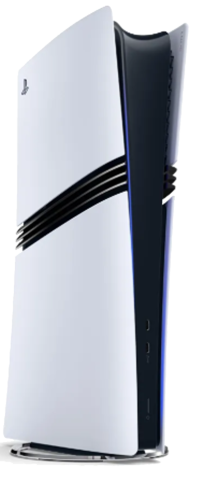
PlayStation 5 (PS5) common problems and tips to avoid or resolve them

1. Storage Shortage

Problem: Limited internal storage (825 GB) fills up quickly with large game files.
Solution:

  • Use an M.2 SSD expansion for additional internal storage (ensure it’s compatible with PS5 requirements).
  • Regularly delete unused games or media.
  • Use an external USB storage drive for PS4 games.

2. Overheating

Problem: Console gets hot, leading to potential performance throttling or damage.
Solution:

  • Ensure the PS5 is placed in a well-ventilated area.
  • Keep the vents dust-free by periodically cleaning them with compressed air.
  • Avoid placing the console in enclosed spaces.

3. Power Issues

Problem: Console not turning on or sudden shutdowns.
Solution:

  • Check the power cable and connection.
  • Avoid using power strips that may not provide stable power.
  • If the issue persists, consider power cycling the console (unplugging for 5-10 minutes).
  • Ensure your power outlet is stable.

4. Rest Mode Crashes

Problem: Console crashes or becomes unresponsive in Rest Mode.
Solution:

  • Update the PS5 firmware to the latest version.
  • Consider turning off Rest Mode in the settings if the problem persists.

5. Disc Ejection or Reading Issues

Problem: Physical game discs may not eject or read properly.
Solution:

  • Ensure the disc is clean and free of scratches.
  • Keep the console level and avoid moving it while it’s on.
  • If the disc gets stuck, manually eject it by following Sony’s guide.

6. Controller Drift (DualSense)

Problem: Stick drift where the controller moves without user input.
Solution:

  • Keep the controller clean and avoid using it with dirty hands.
  • Use compressed air to clean around the analog sticks.
  • If drift persists, contact Sony for warranty repair or consider a replacement.

7. Wi-Fi Connectivity Issues

Problem: Slow download speeds or disconnections.
Solution:

  • Ensure your router firmware is up-to-date.
  • Use a wired Ethernet connection for stable connectivity.
  • Set the PS5 to a static IP and adjust DNS settings for better performance.

8. System Crashes or Game Freezes

Problem: Console freezes or crashes during gameplay.
Solution:

  • Ensure games and system firmware are updated.
  • Rebuild the database through Safe Mode if crashes persist.
  • Avoid turning off the console abruptly.


Fix Cell Phone Issues with These Pro Tips

Cell phones have become an integral part of our lives, allowing us to stay connected, access information, and perform numerous tasks on the go. However,  problematic cell phone issues can prevent you from being able to utilize your device, which can be frustrating.

In this article, we will discuss some of the most common cell phone issues, including broken screens, and why you should consider utilizing professional repair services instead of attempting a DIY fix.

Common Cell Phone Issues

Cell phones have become an essential part of our lives, but they are not immune to problems. Here are some of the most common cell phone issues and their impacts on your device’s functionality.

Broken Screens

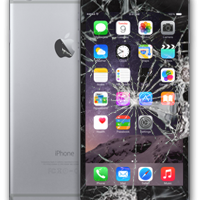
One of the most common cell phone issues is a broken screen. Accidents happen, and dropping your phone can result in cracked or shattered glass. Not only does this affect the appearance of your device, but it can also impede touch sensitivity, making it difficult to use certain features.

Battery Drain

Another frequently encountered issue is rapid battery drain. If your phone suddenly starts losing battery power quickly, even without heavy usage, it could be a sign of a malfunctioning battery. This can be frustrating, as it limits your phone’s usability and requires frequent charging.

Water Damage

Accidentally dropping your phone in water can cause significant damage. Water can seep into the internal components, leading to malfunctions or complete device failure. We suggest that you address water damage as soon as possible to prevent further complications.

Software Glitches

Software glitches can cause apps to crash, slow down your phone, or even cause it to freeze. Whether it’s due to a faulty update, a corrupted file, or insufficient storage, software issues can disrupt your daily phone usage and impact performance.

How to Handle Cell Phone Issues

When faced with cell phone issues, it may be tempting to attempt a DIY fix. However, here are a few reasons why you should consider utilizing professional repair services, such as from Advanced Technology Solutions.

Expertise and Experience of Professional Repair Services

Professional repair technicians have specialized knowledge and experience in handling various cell phone issues. They are well-versed in the intricacies of different phone models and can quickly diagnose and fix the problem. With their expertise, you can be confident that your phone will be in capable hands.

Opting for professional repair services also typically comes with warranty protection. This means that if any issues arise after the repair, you can have peace of mind knowing that your phone will be covered. DIY repairs do not offer the same level of warranty protection, leaving you responsible for any further damages or complications that may occur.

Use of Proper Tools, Equipment, and Genuine Parts

Repairing a cell phone requires specific tools and equipment that may not be readily available to the average user. Professional cell phone repair services have access to the necessary tools to disassemble, repair, and reassemble your cell phone correctly. This ensures that the repair process is done efficiently and with precision.

Using genuine parts is also needed for a reliable and long-lasting cell phone repair. Professional repair services have access to authentic, high-quality parts specific to your phone model. DIY repairs often involve using generic or counterfeit parts, which may not meet the same standards as the original components.

Let Professionals Handle Cell Phone Issues For You

Whether you’re dealing with a broken screen, battery drain, water damage, or software glitches, entrusting your cell phone to professional repair services is a smart decision. 

Advanced Technology Solutions, a locally owned and operated repair shop in Cary, North Carolina, specializes in repairing Apple iPhones, iPads, iPods, and all Android devices. With our expertise, commitment to quality, and excellent customer service, you can trust them to bring your cell phone back to top-notch condition. Contact us or call 919-349-7354 to fix your cell phone issues today.

Fix Your Cell Phone Screen: Quick & Easy Guide

In today’s interconnected world, your cell phone lets you be informed, entertained, and connected. However, accidents happen, and a cracked or shattered screen can quickly disrupt your daily routine. When faced with a broken cell phone screen, consider seeking professional help for repairs to ensure a successful and safe resolution.

Risk of DIY Repairs

Attempting to repair a broken cell phone screen on your own can pose several risks and pitfalls. Without the necessary expertise, you may inadvertently cause further damage to the device, leading to additional repair costs. DIY repairs also lack the warranty protection and guarantee of quality that professional services offer, increasing the likelihood of a subpar outcome.

Importance of Professional Help for Cell Phone Screen Repair

When it comes to repairing your cell phone screen, the expertise and specialized tools that professionals bring to the table are invaluable. Here’s why opting for professional assistance is beneficial for dead pixels, cracked screens, and unresponsive touch screens.

Expertise and Experience

Cell phone screens are delicate components that require precision and knowledge to repair effectively. 

Professional technicians, like those at Advanced Technology Solutions, have the skills and experience to identify the root cause of the screen damage and apply the appropriate repair techniques. Their expertise ensures that your screen is restored to its optimal condition without compromising its functionality.

Specialized Tools and Equipment

Repairing a cell phone screen requires specific tools and equipment that may not be readily available for DIY repairs. 

Professionals have access to specialized tools designed specifically for handling screen repairs, ensuring that the process is carried out accurately and efficiently. With these tools, technicians can safely disassemble, repair, and reassemble your phone’s screen with precision.

Ensuring a Successful and Safe Repair

When you rely on professional repair services, you can ensure a successful and safe repair process. Professional technicians undergo rigorous training to handle various cell phone screen issues, from minor cracks to complete shatters. Their attention to detail and commitment to quality guarantee that your screen is repaired effectively, restoring your device to its original state.

How to Avoid Broken Cell Phone Screens

Preventing a broken cell phone screen maintains the functionality and aesthetics of your device. Here are some practical tips to help you avoid screen damage once again.

Use Protective Cases and Screen Protectors

To avoid broken cell phone screens, invest in a high-quality protective case and a tempered glass screen protector. This can help safeguard your cell phone screen against accidental drops and impacts. It also provides an additional layer of protection, reducing the risk of cracks and damage.

Handle Your Phone with Care

Being mindful of how you handle your cell phone can significantly reduce the chances of a broken screen. Avoid placing your phone in your pocket with sharp objects or rough surfaces, and be cautious when using it near edges or slippery surfaces.

Have Your Broken Cell Phone Screen Repaired By Professionals

When it comes to cell phone screen repairs, don’t settle for DIY fixes that may compromise the integrity of your device. Trust professional cell phone repair services to ensure a successful repair. Once you’ve had your phone screen repaired, remember to handle your phone with care and use protective screen protectors to avoid this from happening again.

Advanced Technology Solutions is a trusted and locally owned repair shop in Cary, North Carolina. Our team of professionals is dedicated to providing top-notch repair services with a fast turnaround time, specializing in Apple iPhone, iPad, iPod, and all Android devices. To schedule your cell phone screen repair, contact us or call 919-349-7354 today.

Video

×
Raleigh, Cary, Apex iPhone, iPad, iPod, Android, Mac, and PC Repair

×